A guide from the MyDailyCash team. MyDailyCash is for adults 18+ and is not affiliated with Valve or Steam. Earnings vary.
A Steam gift card adds money to your Steam Wallet, so you can buy games, software and more without using your bank card. This guide covers 3 legit ways to earn Steam gift cards and Wallet funds, the currency rule to check first, and the "free Steam code" scams to avoid.
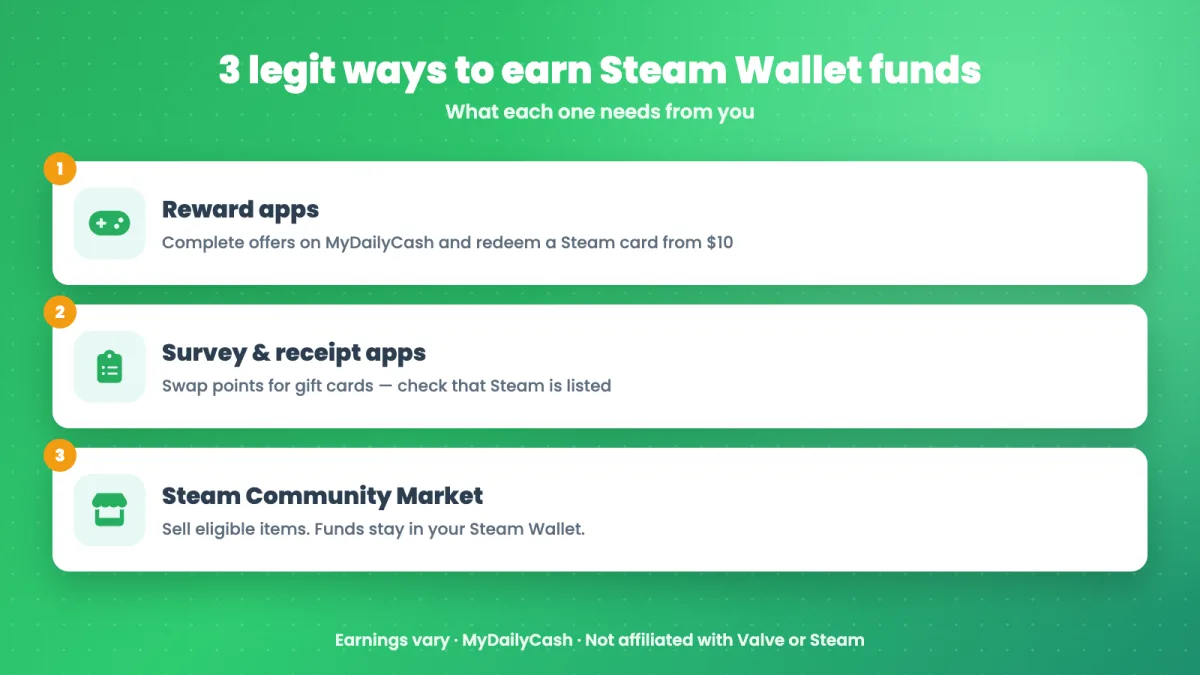
Quick answer: You can earn Steam gift cards with reward apps like My Daily Cash (from $10) and with survey or receipt apps that list Steam as a reward. You can also add funds by selling eligible items on the Steam Community Market. Check that a code will work with your Steam Wallet currency first, because MyDailyCash Steam cards are US cards. Code generators never work.
Check this first: your Steam Wallet currency
Every Steam account has a set currency. Steam's redeem page says gift cards and Wallet codes are converted to your Wallet's currency, wherever they were bought. But many Steam users report errors when a code's currency doesn't match their account, and the rules can differ by region.
Steam gift cards on MyDailyCash are US cards. They are for Steam accounts in the United States with a Wallet in US dollars. If your Steam account is set to another country or currency, don't choose this reward. Pick another payout in your Wallet instead, such as PayPal or crypto. Not sure? Contact our support team before you request a card.
3 legit ways to earn Steam gift cards
1. Reward apps like My Daily Cash
Reward apps pay you for completing offers, such as trying a new game or answering a survey. On My Daily Cash you can redeem your balance for a US Steam gift card from $10, and the code is sent by email. The steps are below.
2. Survey and receipt apps
Many survey panels and receipt-scanning apps let you swap points for gift cards. Before you sign up, confirm that Steam is on the reward list for your country and check the minimum payout.
3. Steam Community Market
If you already own tradable in-game items or Steam trading cards, you can sell them to other players on the Community Market. Three things to know:
- The money goes to your Steam Wallet. It can't be withdrawn as cash.
- A fee is taken from each sale. The listing screen shows what you'll receive before you confirm.
- Some items can't be sold, and your account must meet Steam's Market rules.
How to earn a Steam gift card on My Daily Cash
- Sign up free (18+) and verify your email.
- Open the Tasks page and pick an offer. Each one shows its reward before you start.
- Follow the instructions exactly. Rewards are held for a few days after confirmation, then move to your available balance.
- When you reach $10, open your Wallet → Gift Cards → Steam.
- Check that your Steam account is set to the United States with a Wallet in US dollars. Then choose $10, $20, $50 or $100, enter your email and confirm.
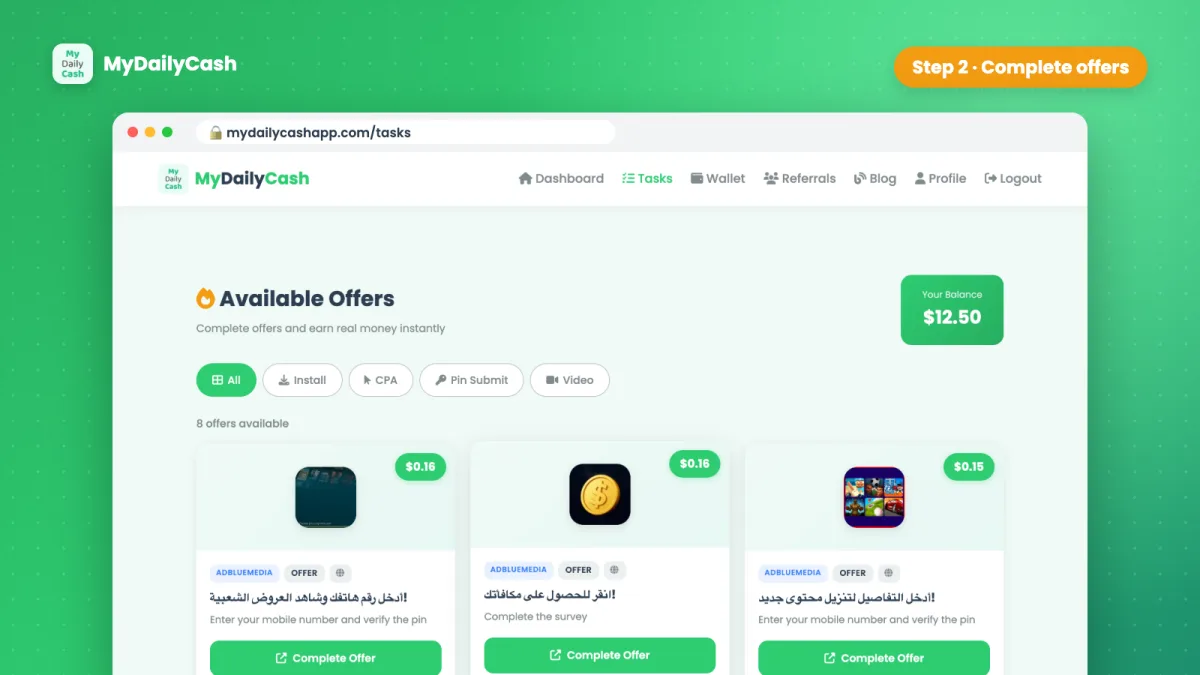
Our team reviews each withdrawal, and requests are usually sent within 24–48 hours. Offers depend on your country and device, and earnings vary. For an honest look at the numbers, read how much you can really earn per day.
How to redeem a Steam gift card
- Sign in to your Steam account.
- Go to Steam's Redeem a Steam Gift Card or Wallet Code page.
- Enter your code and follow the steps on screen.
- The funds are added to your Steam Wallet.
Only enter your code on the official Steam site, and check the address bar before you sign in.
What can you buy with Steam Wallet funds?
Steam says gift cards can be used for games, software, hardware and other items you can buy on Steam. Funds stay in your Steam account.
Free Steam code scams to avoid
- Code generators: no tool can create a working Steam code. These sites only want your data or your clicks.
- Fake login pages: a "free gift card" link that asks you to sign in may be trying to steal your Steam account.
- Strangers offering free codes or items: friend requests and chat messages with "free gift" links are a common trick.
- Anyone asking for your code: never share a gift card code. Once it's redeemed, the money is gone.
- Anyone asking you to pay with a gift card: the US FTC warns that no real business or government agency will tell you to buy a gift card to pay them.
Not sure about an app? Use our checklist: 8 signs of a real app that pays.
Frequently asked questions
How can I earn Steam gift cards?
You can earn them with reward apps like My Daily Cash and with survey or receipt apps that offer Steam. You can also add Wallet funds by selling eligible items on the Steam Community Market.
Do free Steam code generators work?
No. No generator can create a working Steam code. These sites are scams.
Do Steam gift cards work in every country?
Not always. Steam's redeem page says codes convert to your Wallet currency, but users report currency errors in some cases. Cards from MyDailyCash are US cards, so they are for US Steam accounts with a Wallet in US dollars.
What is the minimum for a Steam gift card on MyDailyCash?
$10. You can choose $10, $20, $50 or $100. These are US cards, so they are for US Steam accounts with a Wallet in US dollars.
Can I turn Steam Wallet funds into cash?
No. Steam Wallet funds can only be spent on Steam.