A guide from the MyDailyCash team. MyDailyCash is for adults 18+ and is not affiliated with Google. Earnings vary.
A Google Play gift card is one of the handiest rewards you can earn if you use an Android phone: it pays for apps, games and in-game items. This guide covers 4 legit ways to earn Google Play gift cards and credit, the one country rule you must check first, and the "free code" scams to avoid.
Quick answer: You can earn Google Play credit through reward apps like My Daily Cash (gift cards from $5), Google Opinion Rewards (surveys), Google Play Points (where available), and survey or receipt apps. Before you start, remember that Play gift cards only work in the country and currency where they were bought, and MyDailyCash cards are for US accounts. Code generators never work.
Check this first: the country rule
This matters more than anything else in this guide. According to Google Play Help, Play gift cards can only be redeemed and used in the country and currency in which they were purchased. A card meant for one country won't work on an account set to another, and Play gift cards aren't sold everywhere.
Google Play gift cards on MyDailyCash are US cards. They only work on a Google Play account set to the United States. If your Google Play country is anywhere else, don't choose this reward. Pick another payout in your Wallet instead, such as PayPal or crypto. Not sure? Contact our support team before you request a card.
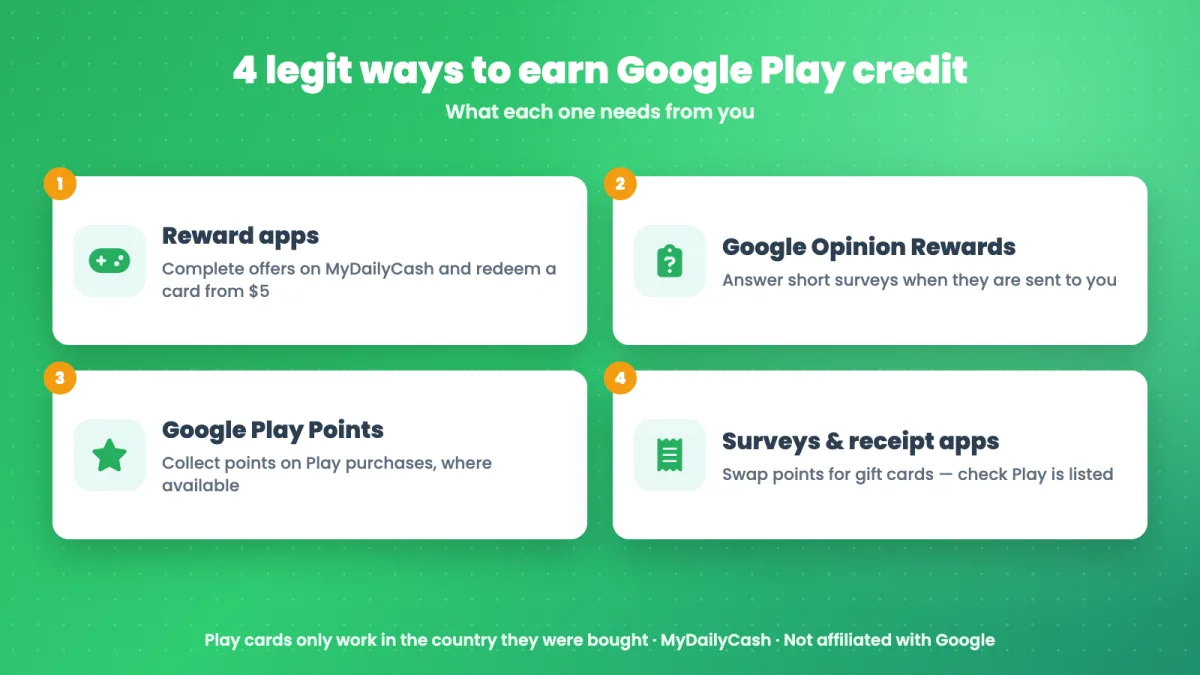
4 legit ways to earn Google Play gift cards
1. Reward apps like My Daily Cash
Reward apps pay you for completing offers, such as trying a new game or answering a survey. On My Daily Cash you can redeem your balance for a US Google Play gift card from $5, and the code is sent by email. It works in any phone browser, with no APK needed. The steps are below.
2. Google Opinion Rewards
Google Opinion Rewards is Google's own survey app. You answer short surveys from market researchers and get Google Play credit on Android (Google says iPhone users are rewarded through PayPal). Know what to expect:
- Surveys arrive when you match one, so you can't choose how many you get.
- Rewards are small and depend on the survey.
- The app isn't available in every country.
- Unused credit can expire, so check the app for the current rules.
3. Google Play Points
Google Play Points is Google's loyalty program. You collect points on Play purchases and can spend them on Play credit or in-game items. It's only available in certain countries, and because most points come from spending, it suits people who already buy apps or game items.
4. Survey and receipt apps
Many survey panels and receipt-scanning apps let you swap points for gift cards. Before you sign up, confirm that Google Play is on the reward list for your country and check the minimum payout.
How to earn a Google Play gift card on My Daily Cash
- Sign up free (18+) and verify your email.
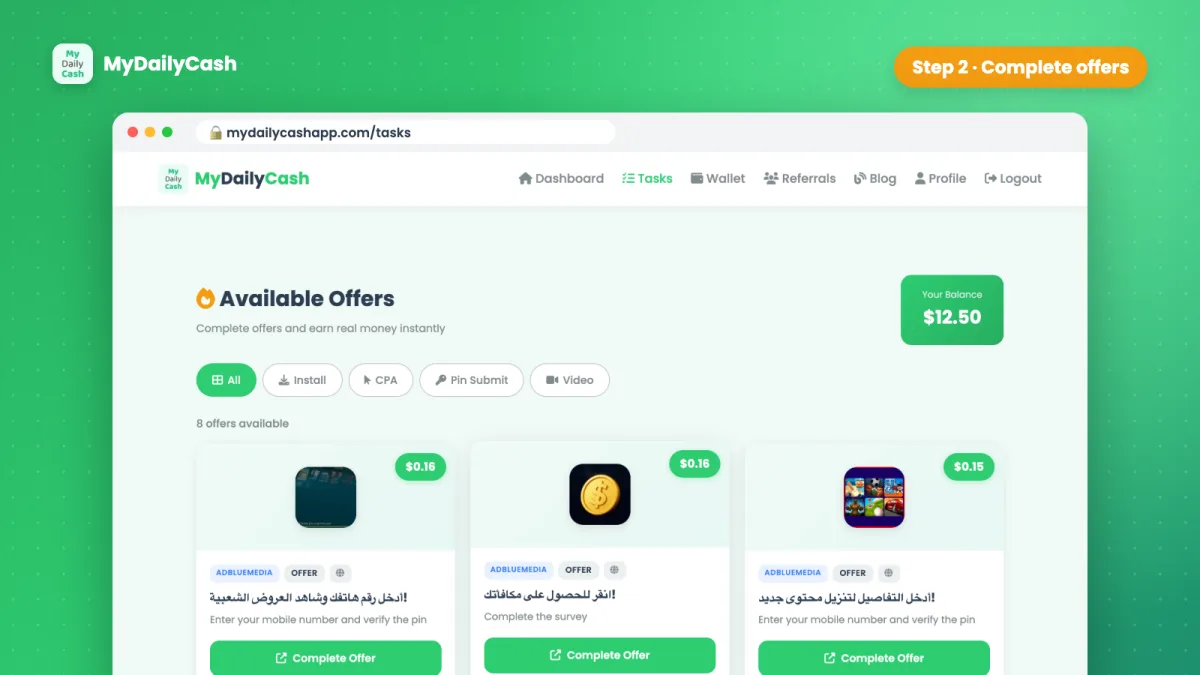
- Open the Tasks page and pick an offer. Each one shows its reward before you start.
- Follow the instructions exactly. Rewards are held for a few days after confirmation, then move to your available balance.
- When you reach $5, open your Wallet → Gift Cards → Google Play.
- Check that your Google Play account is set to the United States. Then choose $5, $10, $15, $25 or $50, enter your email and confirm.
Our team reviews each withdrawal, and requests are usually sent within 24–48 hours. Offers depend on your country and device, and earnings vary. For an honest look at the numbers, read how much you can really earn per day.
How to redeem a Google Play gift card
On an Android phone:
- Open the Google Play app.
- Tap your profile picture at the top right.
- Tap Payments & subscriptions → Redeem code.
- Enter the code and tap Redeem.
- Check the account shown, then tap Confirm.
On a computer: go to play.google.com/redeem, enter the code, and confirm the account.
What can you buy with Google Play credit?
You can spend your balance on eligible items on Google Play, such as apps, games and in-game items. It can't be turned back into cash, and some items are excluded, such as devices and certain subscriptions. See Google's gift card help for the current details.
Free Google Play code scams to avoid
- Code generators: no tool can create a working Google Play code. These sites only want your data or your clicks.
- "Download this app to unlock your code": fake unlock steps can lead to harmful apps. Install apps only from sources you trust.
- Anyone asking for your code: never share a gift card code. Once it's redeemed, the money is gone.
- Anyone asking you to pay with a gift card: the US FTC warns that this is always a scam, and it names Google Play cards as an example.
Not sure about an app? Use our checklist: 8 signs of a real app that pays.
Frequently asked questions
How can I earn Google Play gift cards?
The main legit ways are reward apps like My Daily Cash, Google Opinion Rewards, Google Play Points, and survey or receipt apps. Check that your reward will work in your country.
Do Google Play gift cards work in every country?
No. Google says Play gift cards can only be redeemed and used in the country and currency in which they were purchased. Cards from MyDailyCash are US cards.
Do free Google Play code generators work?
No. No generator can create a working code. These sites are scams.
What is the minimum for a Google Play gift card on MyDailyCash?
$5. You can choose $5, $10, $15, $25 or $50. These are US cards, so they only work on a Google Play account set to the United States.
How do I receive my Google Play code from MyDailyCash?
By email, usually within 24–48 hours after you request it.